Email Fundraising Guide for Teachers
Email is an easy, effective way to ask anyone in your community for a donation.
Follow the steps below to take your email fundraising to the next level.
Step 1: Gather Your Email Contacts
Start by making a list of anyone you know who may want to support your classroom. Check out these suggestions of who you might want to include.
Step 2: Pre-Write Your Emails
To save time, we recommend pre-writing your fundraising email in a Word document/Google Doc.
This page has some pre-written fundraising email templates that you can customize or use as inspiration to write your own.
Step 3: Personalize Your Emails & Send
The pre-written emails you prepared in Step 2 should never be sent as-is; these are only templates to help save you time.
The more you personalize your email to each person, business or group you reach out to, the more likely you are to receive a donation from them.
Step 4: Follow-up with a Thank-You
Whether a donor gives $10 or $500, send them a personalized thank-you email.
Thanking your donor will make them feel good about their gift and may inspire them to give again.
Bonus: How To Add Your Classroom Page To Your Email Signature
Add your classroom page link to your email signature so potential donors can see what your students need every time you send an email.
Here’s what it looks like:
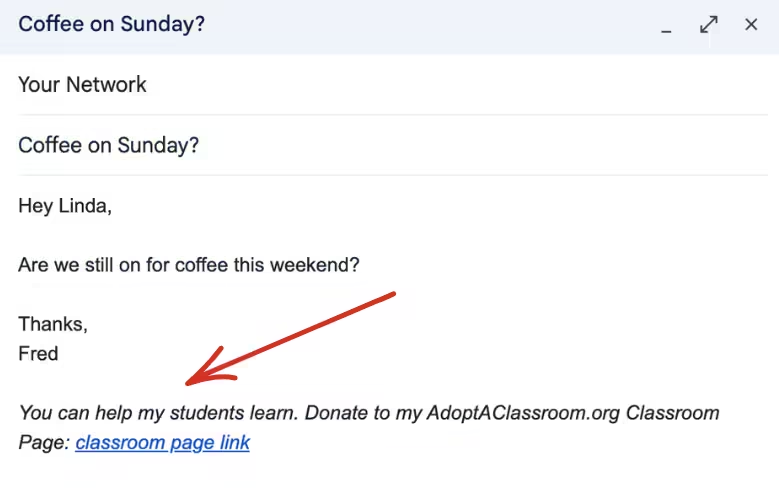
How To Update Your Email Signature:
Choose your provider below to learn how to add or update your email signature: